Measure before you cut
Rhinestone size chart
Compare SS, PP, millimeter, and inch ranges, then make a real-scale test strip.
Check a size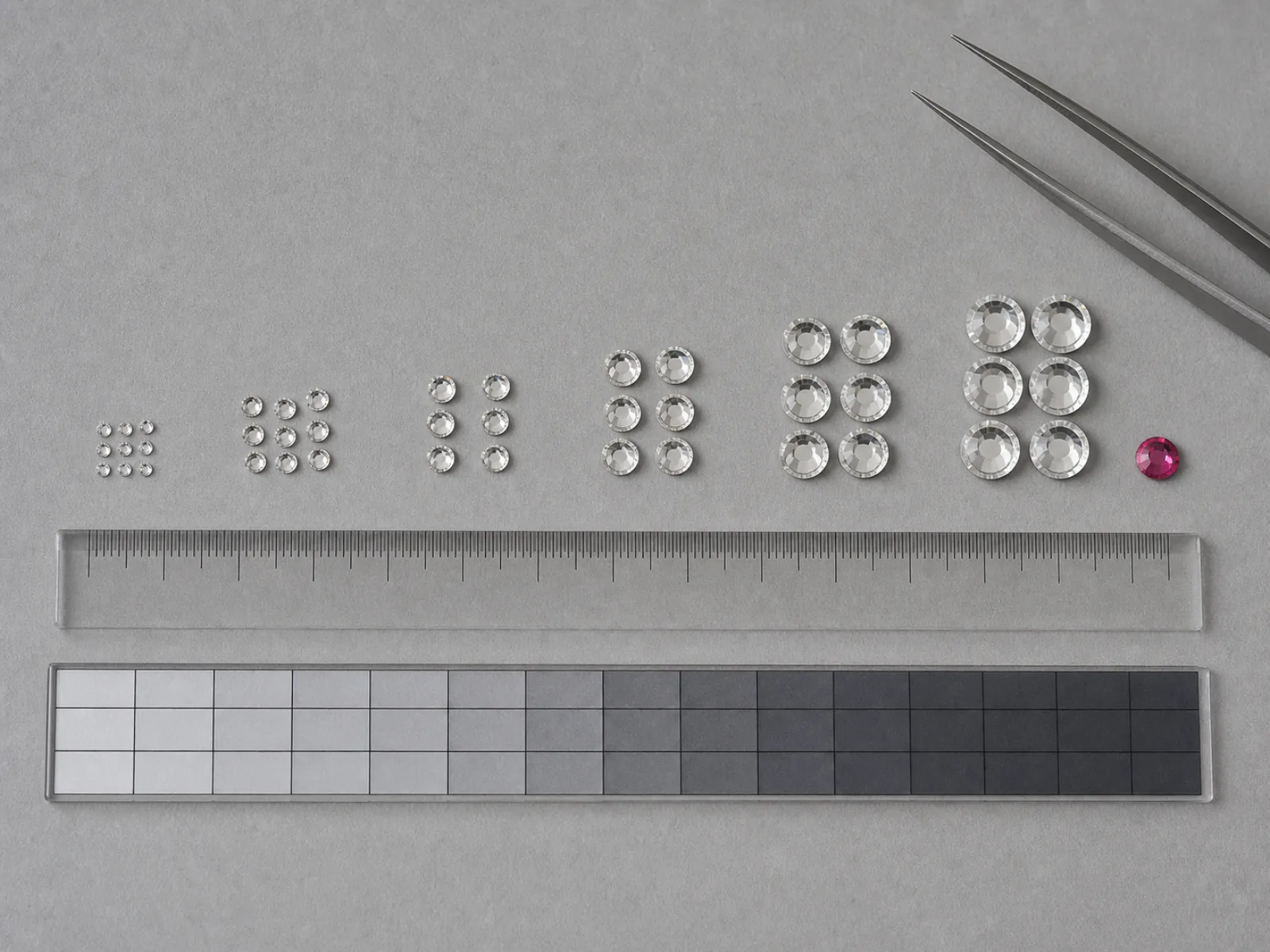
Look up a size range
SS labels describe a range. Select a reference size, measure your actual stones, and keep the physical measurement with your project notes.
Common SS size ranges
Values below reproduce selected rows from the cited Fire Mountain conversion chart. Brand tolerances and individual stones can differ.
| SS label | PP reference | Millimeter range | Inch range |
|---|---|---|---|
| SS3 | PP7 to PP8 | 1.35 to 1.50 mm | 0.053 to 0.059 in |
| SS6 | PP13 to PP14 | 1.90 to 2.10 mm | 0.075 to 0.083 in |
| SS8 | PP17 to PP18 | 2.30 to 2.50 mm | 0.091 to 0.098 in |
| SS10 | PP21 to PP22 | 2.70 to 2.90 mm | 0.106 to 0.114 in |
| SS12 | PP24 | 3.00 to 3.20 mm | 0.118 to 0.126 in |
| SS14 | PP27 to PP28 | 3.40 to 3.60 mm | 0.134 to 0.142 in |
| SS16 | PP31 | 3.80 to 4.00 mm | 0.150 to 0.157 in |
| SS17 | PP32 to PP33 | 4.00 to 4.20 mm | 0.157 to 0.165 in |
| SS19 | Not listed | 4.40 to 4.60 mm | 0.173 to 0.181 in |
| SS20 | Not listed | 4.60 to 4.80 mm | 0.181 to 0.189 in |
| SS24 | Not listed | 5.27 to 5.44 mm | 0.207 to 0.214 in |
| SS30 | Not listed | 6.320 to 6.500 mm | 0.249 to 0.256 in |
| SS34 | Not listed | 7.069 to 7.272 mm | 0.278 to 0.286 in |
| SS40 | Not listed | 8.412 to 8.672 mm | 0.331 to 0.341 in |
| SS48 | Not listed | 10.912 to 11.304 mm | 0.430 to 0.445 in |
| SS50 | Not listed | 11.717 to 11.970 mm | 0.461 to 0.471 in |
Stone diameter is not template-hole diameter
A stone label describes the stone. A cut opening is a production choice affected by actual stone diameter, material thickness, blade behavior, cut pressure, and how cleanly the opening weeds or releases.
That is why the tool asks for a starting hole rather than applying an automatic allowance. The five-hole strip lets you compare nearby values on your own machine and material.
Measure several stones from the batch.
Enter your own starting hole and step.
Import the SVG and verify the 50 mm scale.
Cut scrap material and record the best result.
Keep scale honest
A ruler on the screen is not a physical ruler. Display zoom, browser scaling, printer scaling, and import settings can all change apparent size.
- Confirm the SVG document width after import.
- Print at 100 percent or actual size, not fit to page.
- Measure the included 50 mm line with a physical ruler.
- Reject the test if the line does not measure 50 mm.
Size and calibration questions
Why are two PP numbers shown for some SS sizes?
PP and SS are different sizing systems. The cited chart maps more than one PP interval to some SS labels, so this page preserves the range rather than forcing one value.
Can I measure stones from the image above?
No. The photograph is illustrative and the screen is not calibrated to physical scale. Measure the stones in your own batch.
Does a matching digital hole guarantee a good cut?
No. A digital diameter does not account for material, blade, pressure, release, or wear. Use the downloaded strip on scrap material.
Which test hole should I choose?
Choose the one that releases cleanly and lets the stones brush into place without falling through. Record the machine and material settings with that result.
Use the measured size
Last reviewed July 27, 2026.